Diamondback documentation
01What it is
Diamondback deploys into your own AWS account and reads it — with nothing but the AWS managed SecurityAudit and ViewOnlyAccess policies. It writes nothing, and it never reads the contents of your buckets, databases or logs — only their configuration.
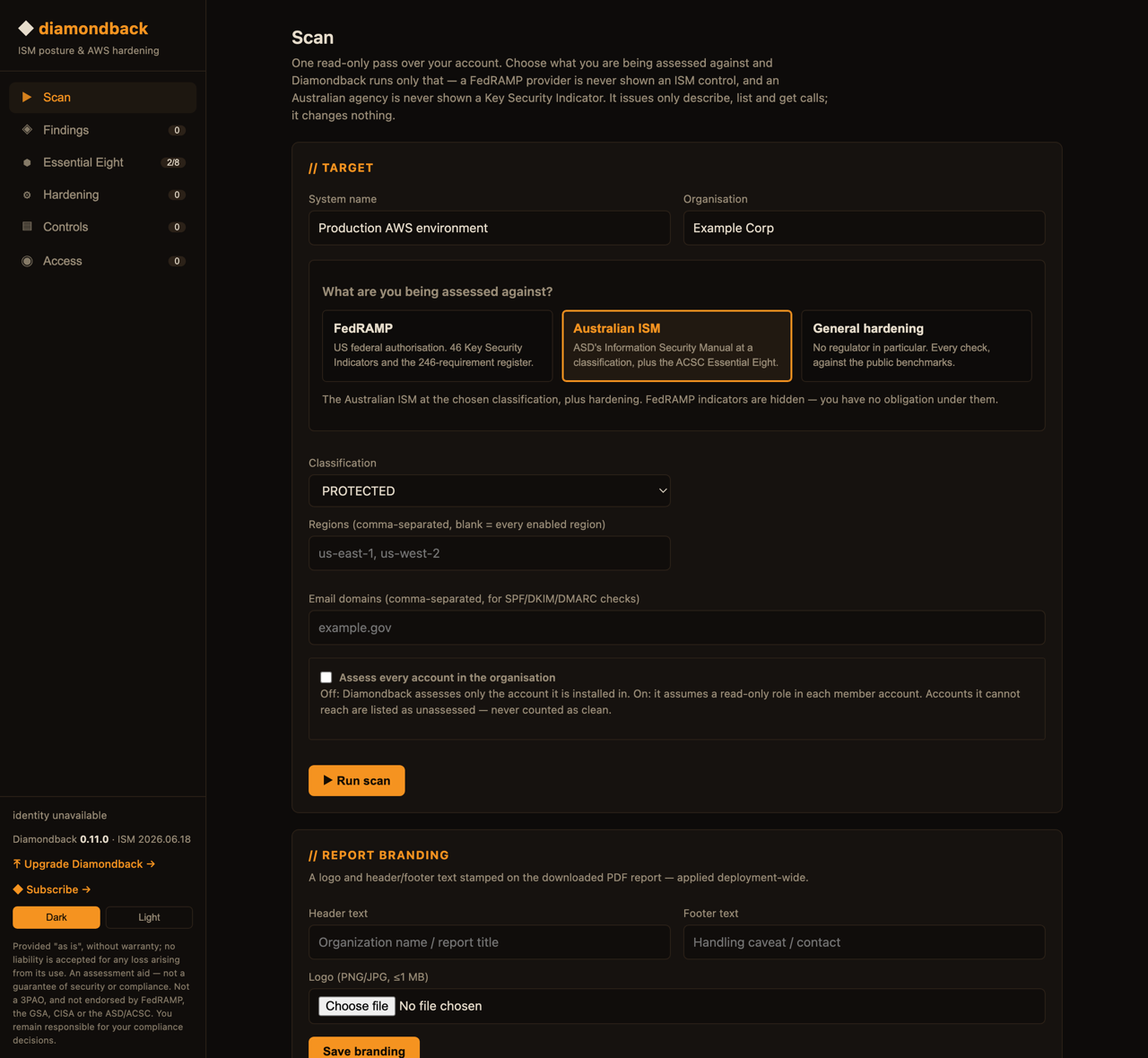
It does three things with what it reads. It evidences FedRAMP's Key Security Indicators from live configuration; it carries the FedRAMP requirements register filtered to your certification, with the dates each rule binds; and it recommends hardening mapped to CIS AWS Foundations, AWS FSBP and NIST 800-53. The Australian Government ISM at PROTECTED is still assessed in full for customers who need both.
02FedRAMP 2026
FedRAMP retired the OSCAL baselines. The current source of truth is the Consolidated Rules for 2026, published as one machine-readable dataset, which Diamondback bundles and reports against.
| Layer | What it is | What Diamondback does |
|---|---|---|
| Key Security Indicators | 46 outcome statements, each naming the NIST 800-53 controls it rests on | Evidences 19 of them from live configuration, joined on control id |
| Requirements (FRR) | 246 programme rules across 17 families, scoped by certification type, path and class | Carries the register, filtered to you, sorted by what binds soonest |
| Parameters (CTL) | 79 FedRAMP overrides on NIST parameter values | Not surfaced |
The 246 rules are not graded. They are programme and process obligations — independent assessment, marketplace listing, significant change notification — and grading them from an AWS account would be an overclaim. Diamondback shows the rule, its evidence artefacts, its dates, and FedRAMP's own "commonly misread" warnings.
03Five evidence planes
| Plane | Reads | Needs | Status |
|---|---|---|---|
| Infrastructure | S3, EBS, RDS, EFS, security groups, VPC flow logs, CloudTrail, CloudWatch Logs, KMS, ELB, AWS Backup | the install role | live |
| Identity | IAM — MFA on root and users, credential age, password policy, administrative access | the install role | live |
| Public DNS — SPF, DKIM, DMARC, MTA-STS | nothing (public) | live | |
| Guest patch | Systems Manager — patch baseline compliance and scan freshness per managed instance | SSM agent + patch association | opt-in |
| AWS-authored | Security Hub — failing CIS and FSBP standards controls, mapped onto ISM controls | Security Hub enabled (charged) | if enabled |
04Verdicts & honesty
Absence is never a pass. A control with no evidence is Not assessed; a check whose prerequisite is missing is No visibility; neither is Effective. A permission error is No visibility too — it is never allowed to look like "no resources exist". Every technical mapping is partial — it proves a necessary condition, not the whole control — and states its limitations. Manual attestation covers the residual but can never override a determined machine finding: a person cannot sign away a real result.
05Controls, attestation & decisions
Every ISM control, correlated with the scan. Where the scan proved a control you see it; where it saw nothing you attest it (verdict, justification, attestor); and where it found a negative you decide what to do — remediate, accept the risk, record a compensating control, or dispute it. A compensating control or a disputed false positive reports Effective (the machine result kept alongside); risk-acceptance and remediation keep the finding and record the treatment. A guided walkthrough steps through everything that needs action.
The one artefact your assessor needs is the merged PDF report: it fuses the machine scan with your attestations and decisions, so a compensating control or accepted risk shows against its control. Attestations and decisions are stored in the deployment's own RDS Postgres, so they survive restarts and one-command upgrades.
06Essential Eight
Selecting the Australian ISM adds the ACSC Essential Eight, with a report of its own. It is an endpoint model being reported from a cloud control plane, so Diamondback is explicit about the difference: all eight strategies always appear, and the three that live inside a guest operating system are reported as outside cloud visibility rather than scored.
No maturity level is awarded. ML1 to ML3 are assessed across an organisation's whole environment — endpoints, servers, processes and people — and one AWS account holds a fraction of the evidence for a fraction of the strategies. Awarding a level from that would be the same overclaim as reporting a Key Security Indicator "met".
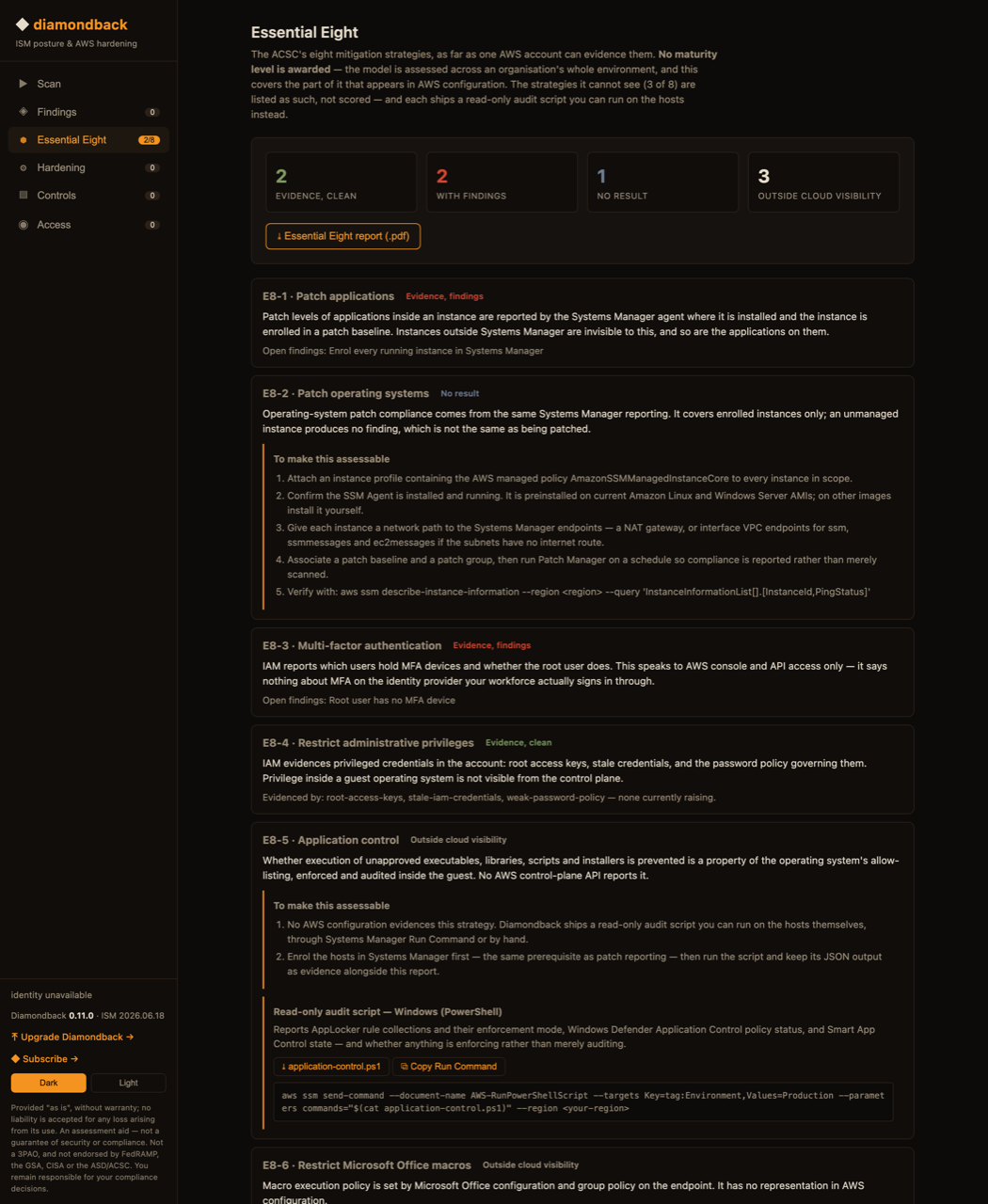
"No result" is deliberately distinct from clean. An account with no instances enrolled in Systems Manager produces no patch findings at all, and that silence is not evidence of being patched — so patching reports no result, with the enrolment steps attached.
The audit scripts are read-only by construction: each queries policy state and prints JSON,
and none creates, modifies or enforces anything. Diamondback ships the queries rather than
running them — it holds SecurityAudit and ViewOnlyAccess and issues
describe, list and get calls, and running a command on your host is a different kind of act
needing a different kind of permission.
07Install
From AWS CloudShell, in the account you want assessed:
curl -sL https://diamondback.run/install.sh | bash -s -- --region ap-southeast-2 --admin-email you@agency.gov.auThis deploys one CloudFormation stack named diamondback: an App Runner service with a managed HTTPS endpoint, an RDS Postgres (encrypted, private, 7-day backups) for your attestations and decisions, a Cognito user pool for sign-in, a private VPC with a NAT gateway for egress, and an instance role holding SecurityAudit + ViewOnlyAccess. Infrastructure, identity, email and hardening checks work immediately. Allow 10–15 minutes; the database is the slow part.
Upgrading in place
Upgrades are a single command — an image-only roll. The database is untouched, and the app applies its Flyway schema migrations on startup, so code and schema move forward with zero data loss. It never re-runs the install stack (which would stand up a fresh, empty database).
curl -sL https://diamondback.run/upgrade.sh | bash -s -- --region ap-southeast-2
curl -sL https://diamondback.run/upgrade.sh | bash -s -- --region ap-southeast-2 --image-tag 0.2.0
The app also checks the public version feed and shows an in-console banner when a newer version is available — the check runs in your browser, so the deployment makes no outbound call of its own.
Patch visibility (optional)
In-guest patch state is only visible for instances Systems Manager manages. Until then those controls report No visibility — never a pass. To enable it: attach an instance profile with AmazonSSMManagedInstanceCore, make sure the instance can reach the SSM endpoints, and create a scanning association:
aws ssm create-association --region ap-southeast-2 --name AWS-RunPatchBaseline \
  --targets Key=InstanceIds,Values=* --parameters Operation=Scan \
--schedule-expression "rate(1 day)"08Access & services to enable
When a plane cannot collect, Diamondback surfaces the ask in the console — with the reason, the ISM controls it unlocks, a console deep link and a copy-paste command. Two shapes of ask, kept distinct because only one is fixed by editing a policy:
An AWS service that is not enabled
aws securityhub enable-security-hub --region ap-southeast-2Security Hub is charged per check and per finding ingested, so enabling it is a deliberate cost decision. Diamondback assesses every control it maps without it — Security Hub only raises the evidence from Diamondback's own queries to AWS-authored findings.
An IAM action the role does not hold
aws iam put-role-policy --role-name diamondback-instance-role \
  --policy-name diamondback-ssm-read \
  --policy-document '{"Version":"2012-10-17","Statement":[{"Effect":"Allow","Action":"ssm:DescribeInstancePatchStates","Resource":"*"}]}'
Every action Diamondback asks for is a describe, list or get — the read-only guard is asserted in the test suite, not just in the prose.
09The role it runs as
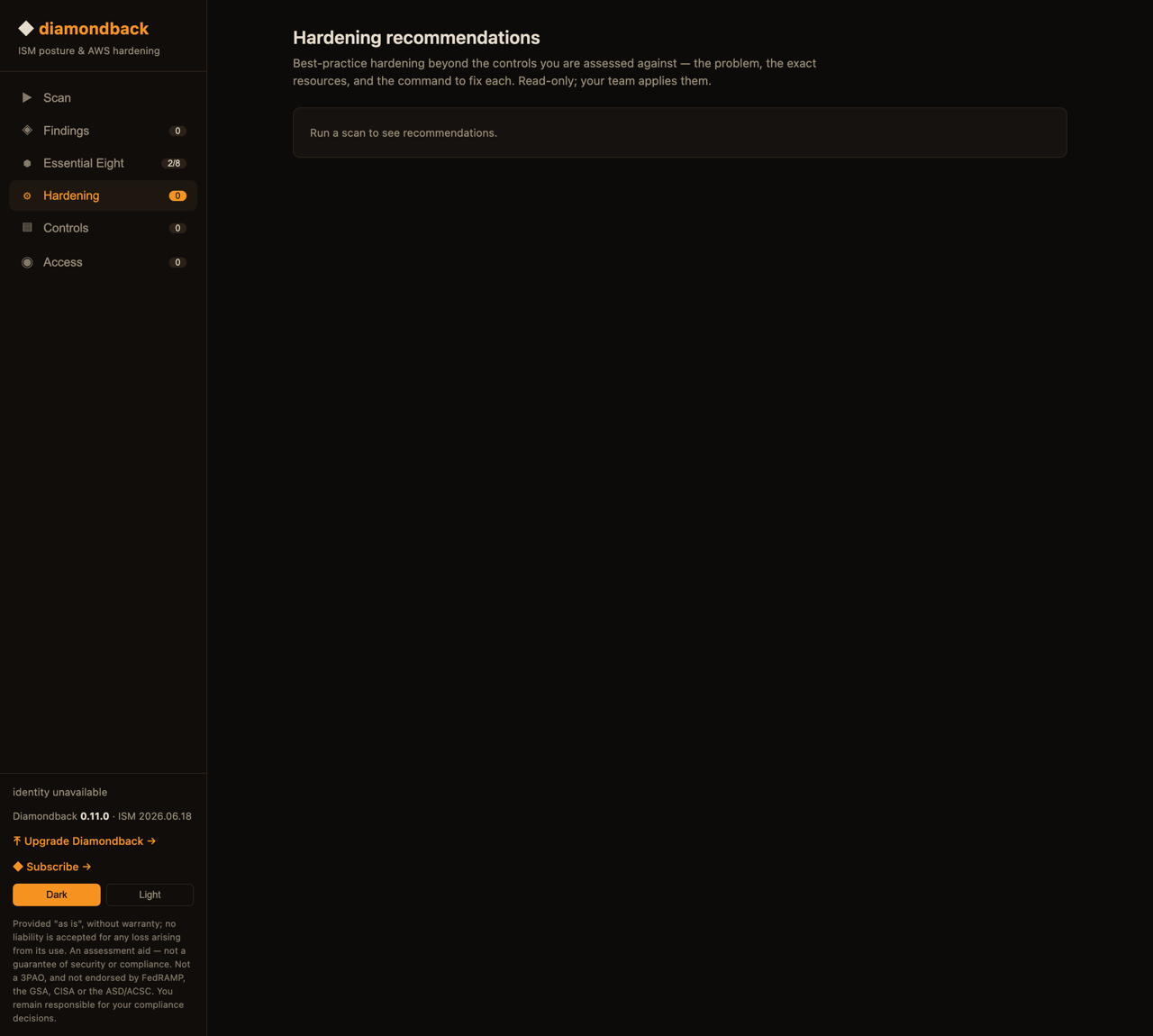
Diamondback reads your account as the App Runner instance role diamondback-instance-role. The console reads that role back from IAM and shows the policies actually attached — a live check, not a claim. There is no service account password and no baked AWS secret; credentials come from the instance role, and the only secret is the Cognito client secret, injected as a runtime environment variable by CloudFormation.
10Teardown
aws cloudformation delete-stack --region ap-southeast-2 --stack-name diamondbackOne command removes everything. The database is snapshotted before deletion, so your attestations and decisions are recoverable if you change your mind; delete the snapshot yourself when you are sure.
11Frameworks
One scan, mapped to every framework a finding touches — pinned to versions:
| Framework | Version |
|---|---|
| Australian Government ISM (PROTECTED) | ASD OSCAL release |
| CIS Amazon Web Services Foundations Benchmark | v3.0.0 |
| AWS Foundational Security Best Practices | v1.0.0 |
| NIST SP 800-53 | Rev. 5 |
| AWS Well-Architected Framework, Security Pillar | current |
| ACSC Essential Eight Maturity Model | November 2023 |
12Security posture
Read-only by construction: two AWS managed read-only policies, and every call in the source is a describe, list or get. No baked AWS secrets — the instance role supplies credentials. Cognito OIDC sign-in, fail-closed, with a 15-character password floor and MFA available. The database is encrypted at rest, private to the VPC, and reachable only from the app's security group. Attestations, decisions and branding persist there, so upgrades preserve them. The install template is public and the full source is available to security teams on request — security@diamondback.run.